
Student information
Maintain student profiles, guardian information, class details, admission records and academic history.
See how a school's daily operations come together—from admissions and student records to attendance, examinations, fees, accounts and parent communication. Explore the working demo and experience the system's key features.
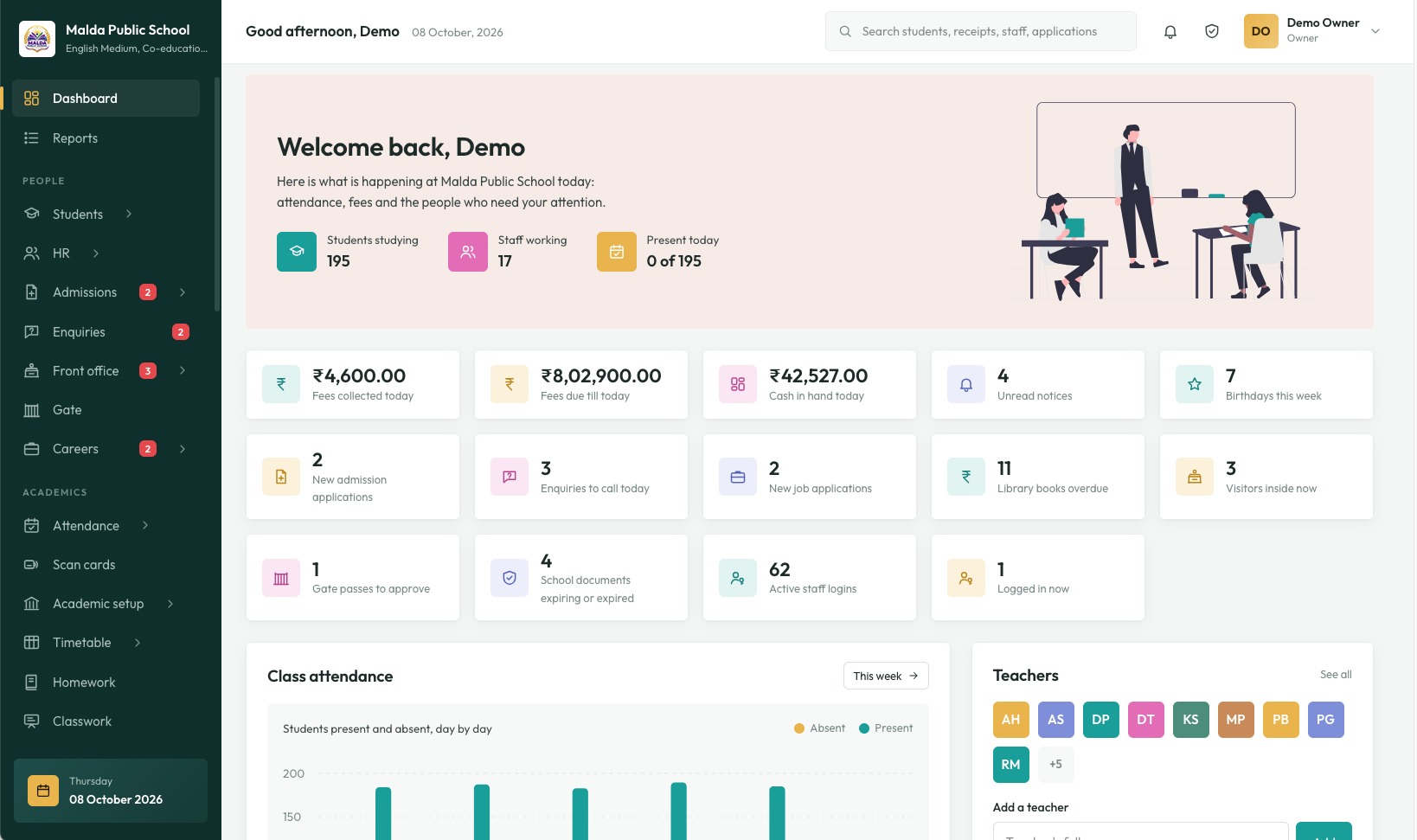
Explore a sample school environment where authorised users can manage everyday administrative and academic work from one system.
Maintain student profiles, guardian information, class details, admission records and academic history.
Manage fee structures, collections, concessions, pending dues, receipts and student ledgers.
Organise attendance, examinations, marks, report cards, homework, classwork and timetables.
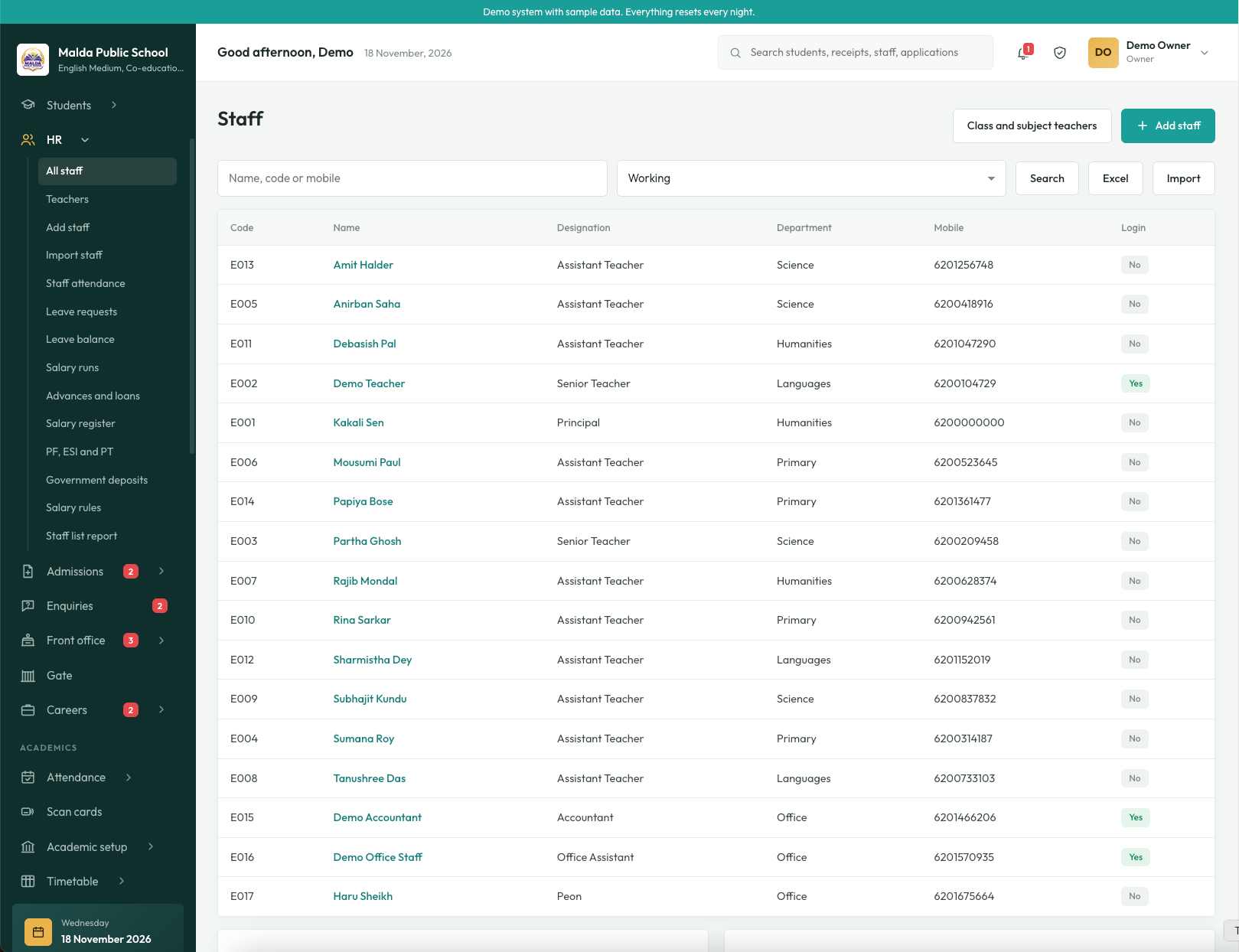
Maintain staff records, attendance, leave, salary registers, advances and payroll workflows.
Track cash and bank accounts, income, expenses, transfers, day book and account ledgers.
Share notices, attendance, fees, examination results, homework and school updates with parents.
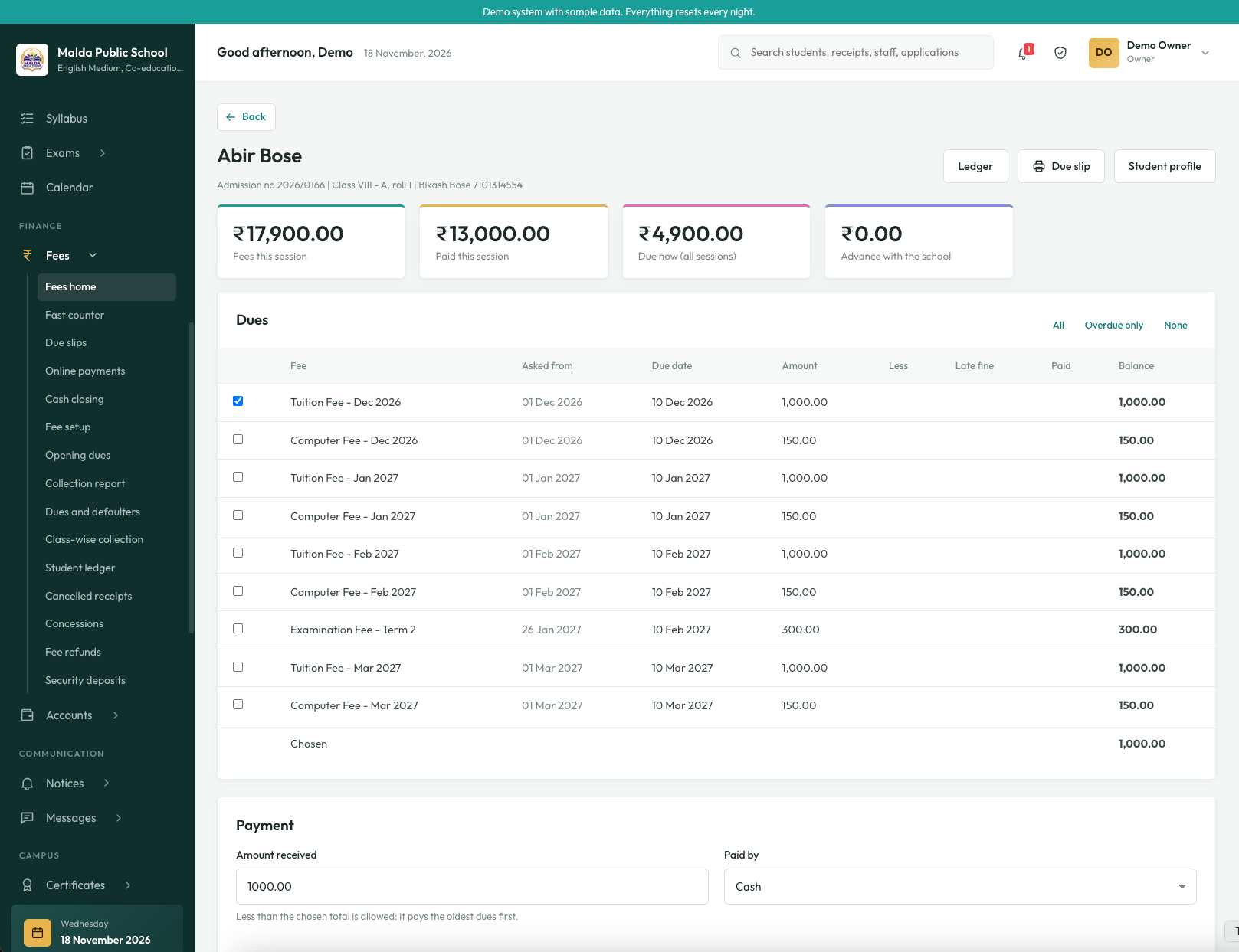
The fee module brings student-wise dues, payments and receipts into one view. The demo shows how the office can review a student's fee position and record a payment.
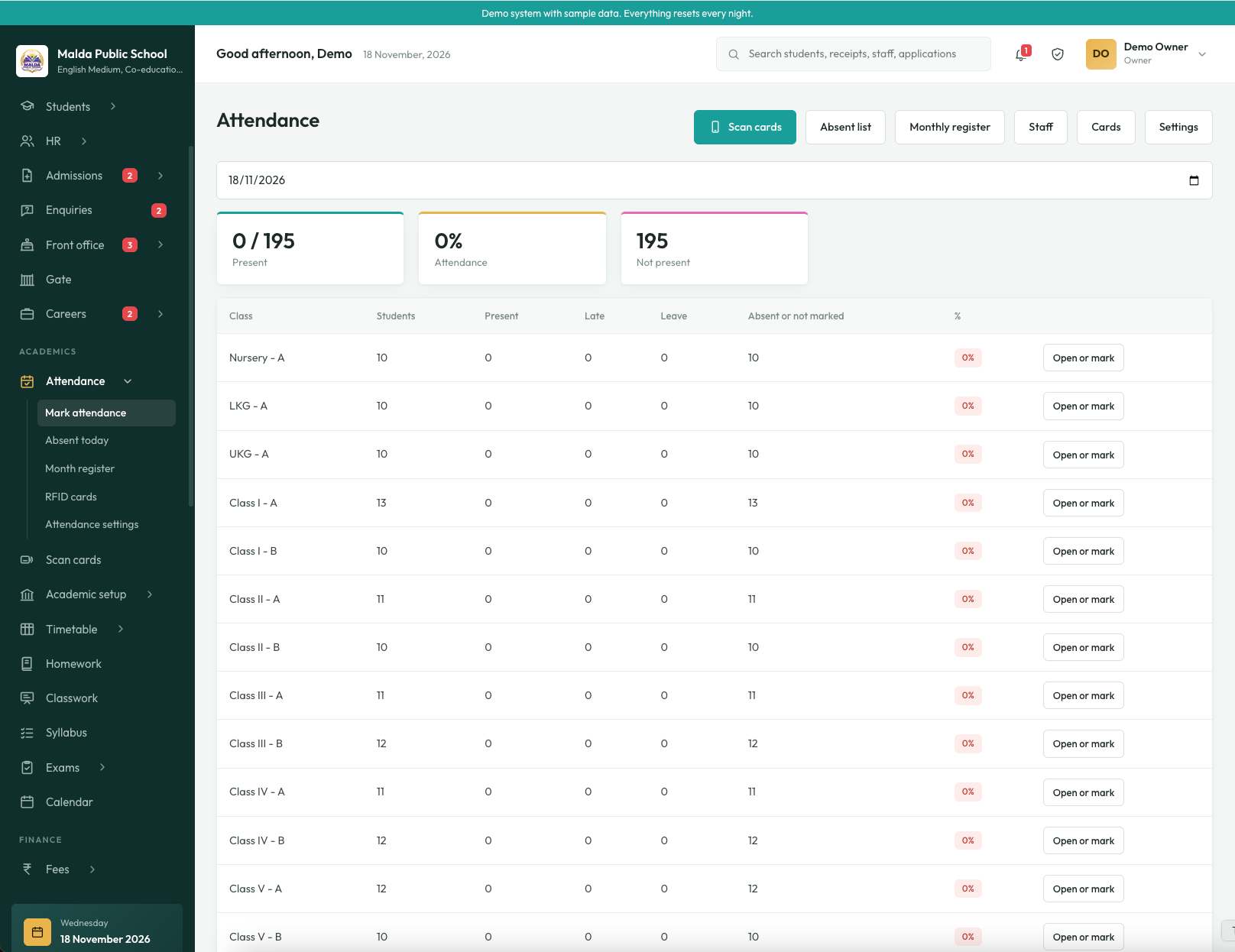
View attendance summaries, mark students present or absent, and review attendance registers for a selected date.
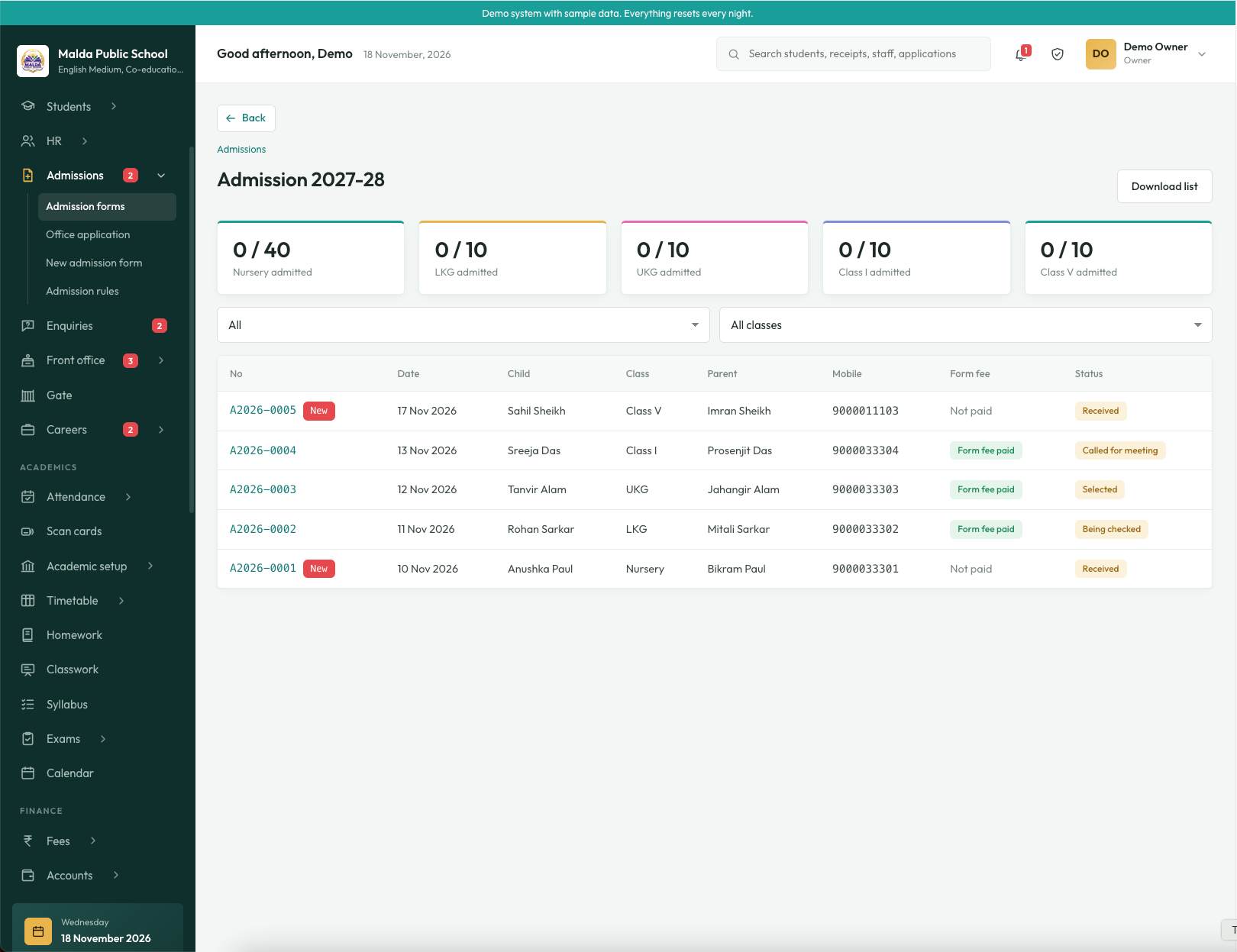
Follow the admission process from submitted forms to review and selection. The demo includes sample admission records and class-wise admission summaries.
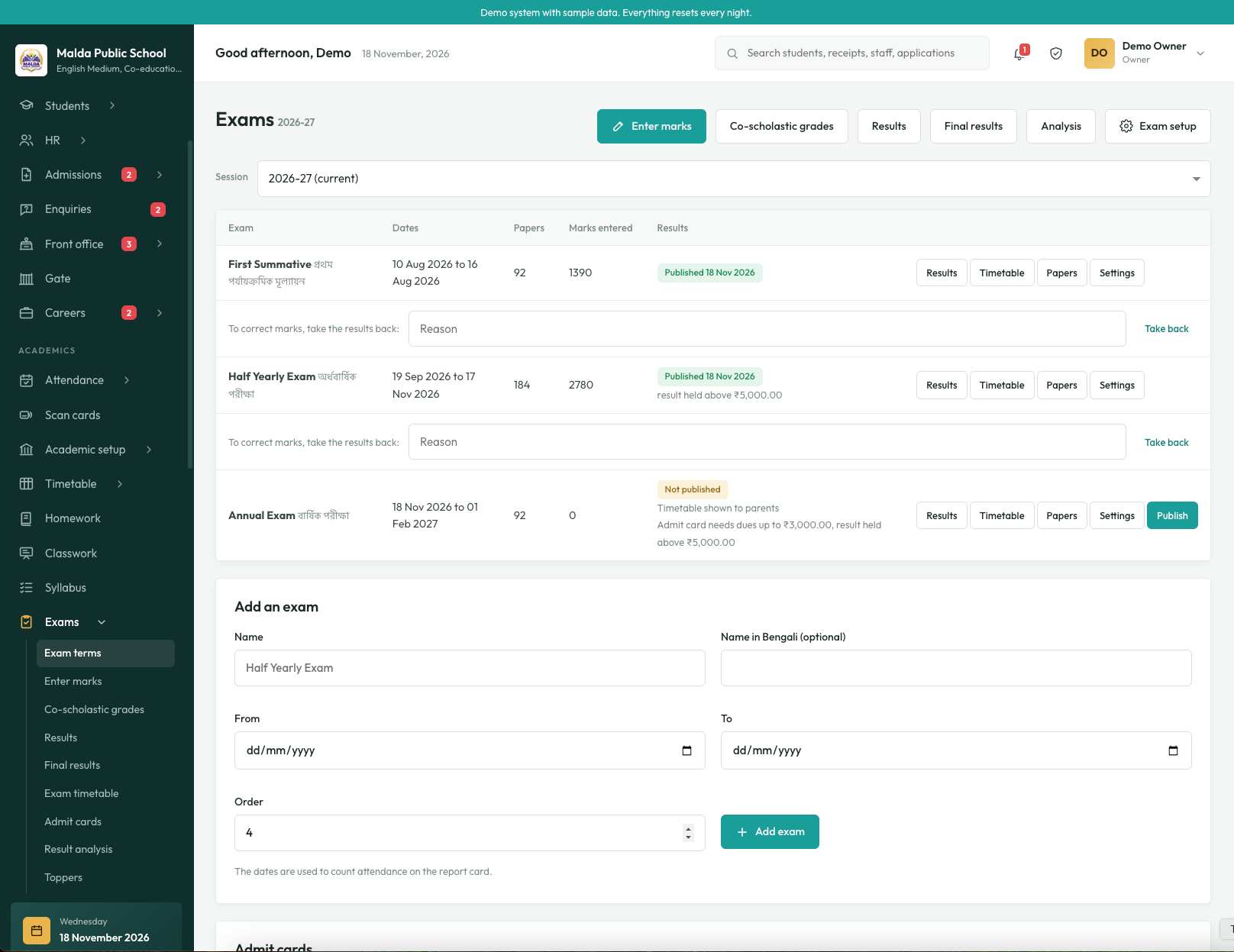
Configure examination terms, enter marks, manage co-scholastic grades and publish results for parents to view.
Keep staff information and financial activity organised with dedicated areas for HR and accounts teams.
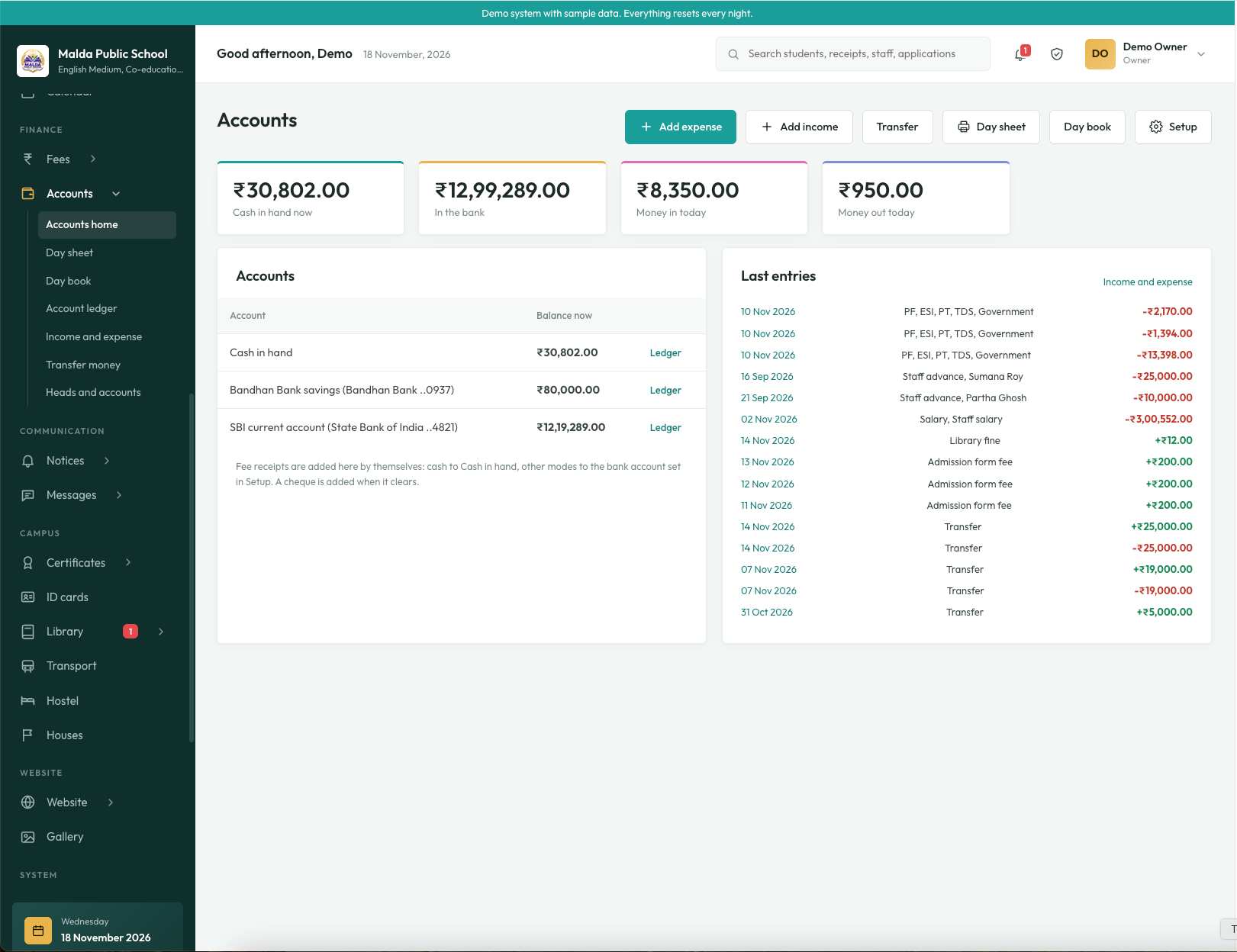
These are screenshots of the School ERP interface. Select an image to view it at full size.
Modules can be configured according to the school's operational requirements.
Applications, front office, visitor and enquiry workflows.
Profiles, documents, promotion and transfer records.
Class schedules, syllabus tracking and academic planning.
Teacher updates and parent visibility.
Fee setup, collection, concessions and refunds.
Income, expenses, salary and account registers.
Library records and transport operations.
School announcements and parent communication.
Residential and house-related school records.
Student documents, certificates and identity cards.
School website content and photo gallery.
Operational summaries and downloadable records.
Users work with the areas relevant to their responsibilities, rather than sharing one unrestricted interface.
School setup, user access, configuration, reports and overall administration.
Academic oversight, attendance, examinations, staff and school-wide notices.
Fee collection, receipts, accounts, payroll and financial reports.
Admissions, enquiries, student records and front-office workflows.
Assigned class attendance, marks, homework and classwork.
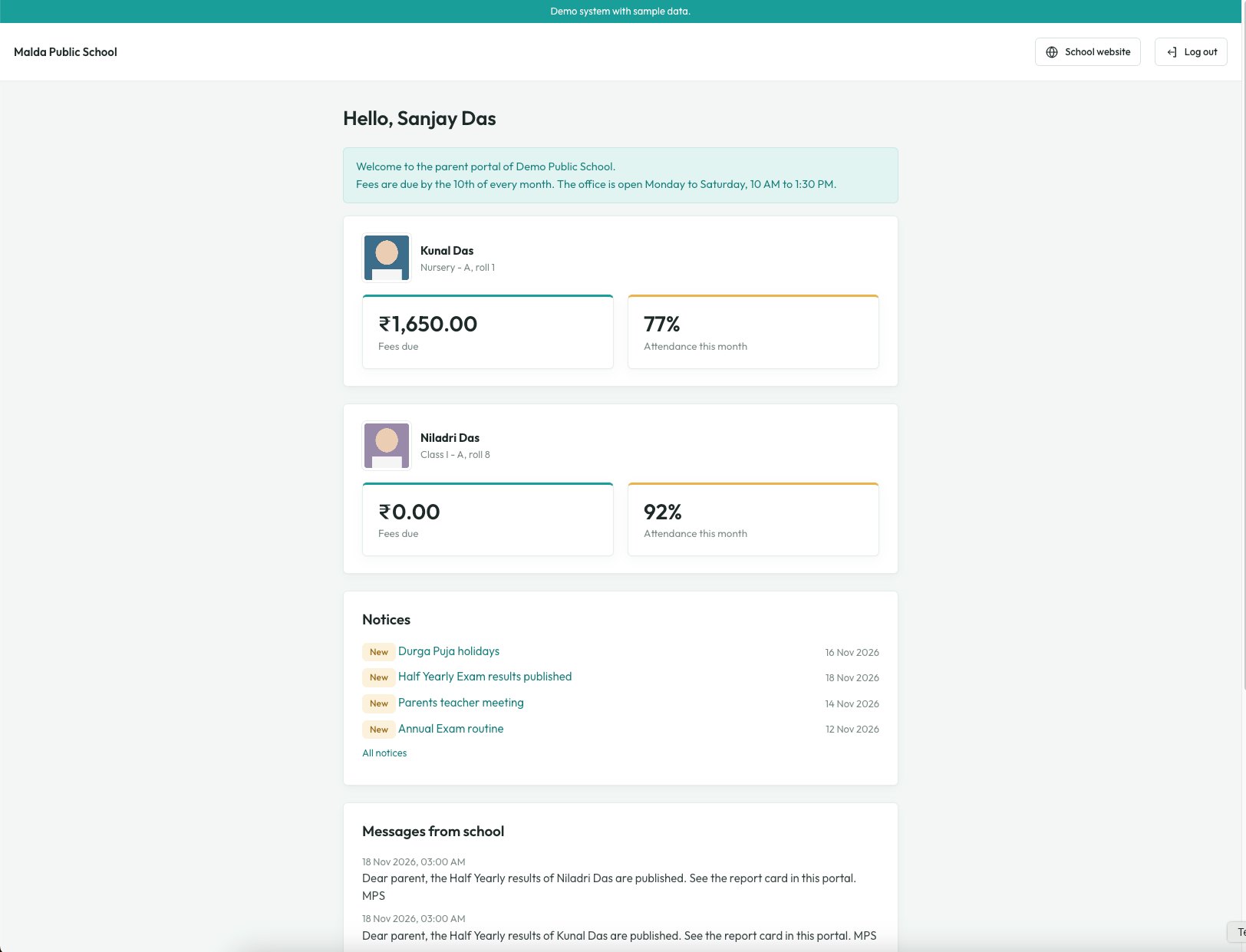
Child's attendance, fees, results, notices, homework and school updates.
The mobile experience helps parents and authorised users access school information on their phones. Use the app screenshots below to preview the mobile interface alongside the web-based ERP.
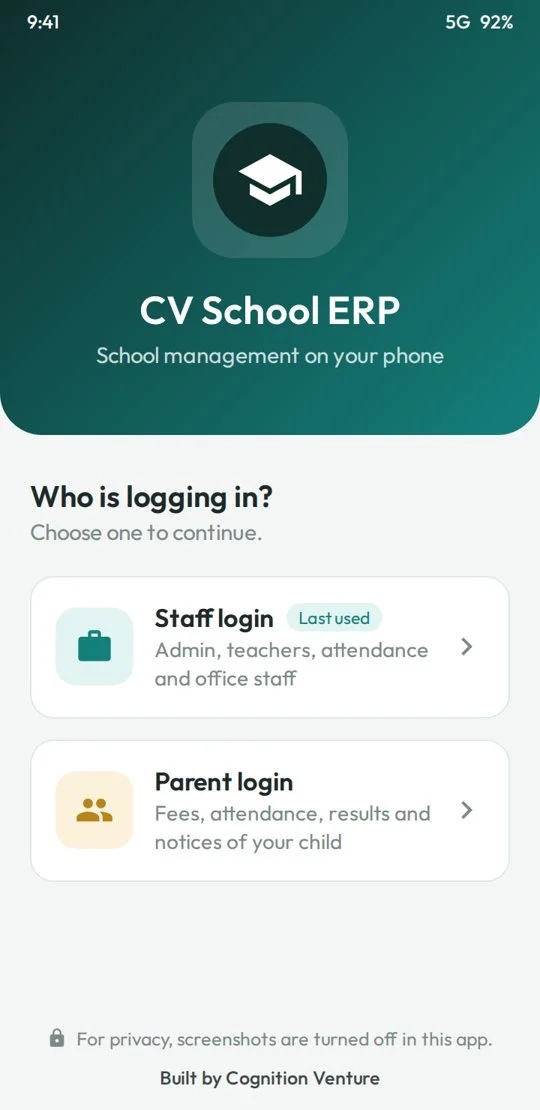
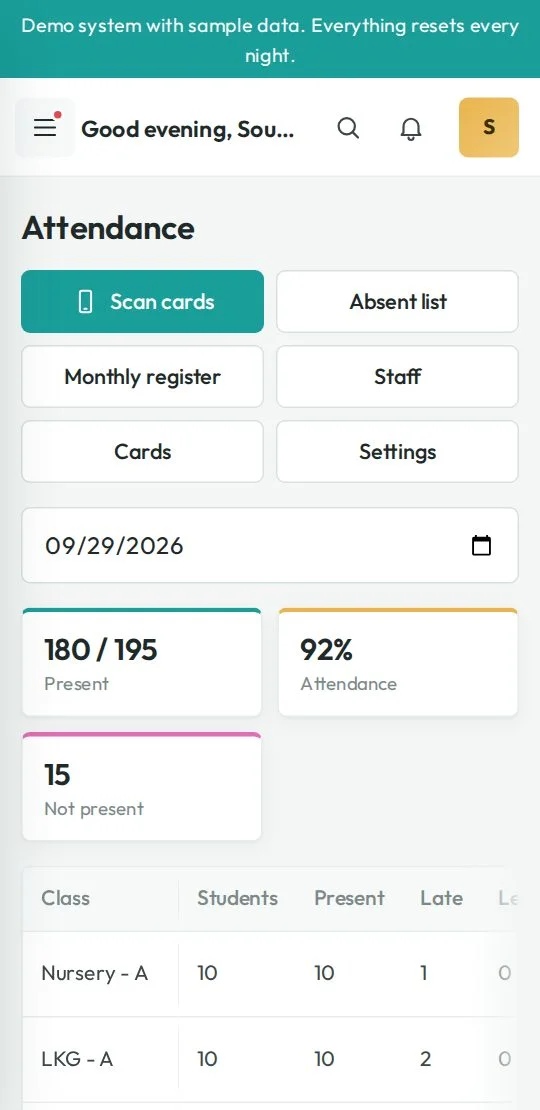
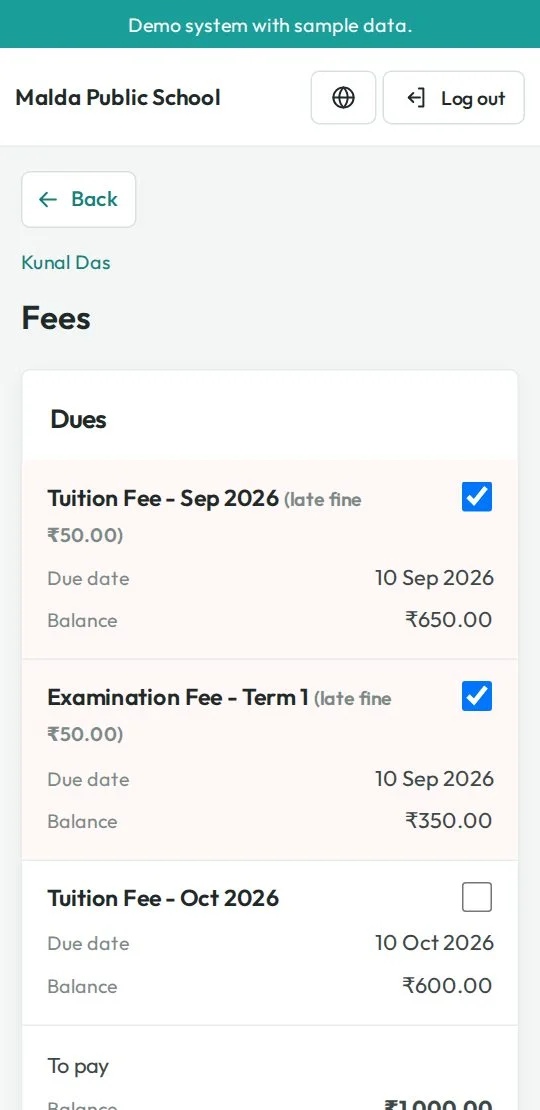
See how Cognition Venture School ERP brings essential school operations together in one connected system. From the front office to the classroom, teams can manage everyday work with greater clarity and coordination.
Explore the School ERP using sample records in a demonstration environment. It is not connected to a live school's operational data.
Open the School ERP demonstration environment using the demo link.
Review admissions, attendance, fees, exams, HR and accounts screens.
See how guardians can access information about their children.
Contact Cognition Venture to discuss setup for your own school.
Demo data is sample data and resets every night. Do not enter real student or personal information.
No. The demonstration environment uses sample records and is not connected to a live school's operational data.
No. It is a demo environment with sample records. Do not use it to store real student, parent or staff information.
Yes. The parent portal demonstrates access to children's attendance, fees, results, notices and other school updates.
The system is browser-based and includes a mobile app experience. App availability and features depend on the deployment and configuration.
Online payments can be enabled after the school's payment gateway account and integration are configured.
Yes. School details, academic sessions, classes, fee rules, users and selected modules can be configured for a school's deployment.
Share your details and requirements. Our team will contact you to discuss student strength, modules, data migration, hosting and deployment.
Fill in the form and our team will get in touch with you.